
Audio devices for every app.
Give games, browsers, chat apps and streaming software their own audio devices. Windows lists each cable as a speaker and a microphone; macOS shows it as one device with both. Four are free. Add up to 30.
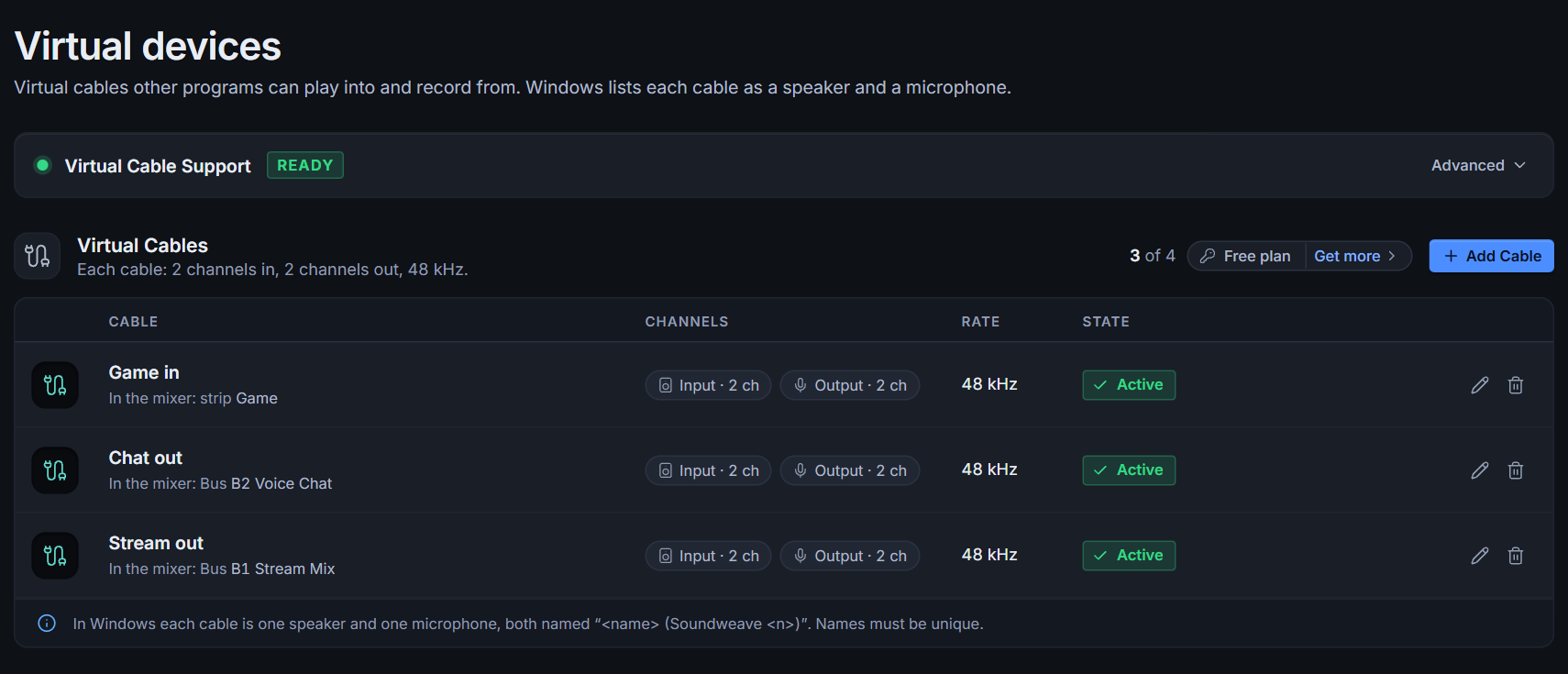
Three steps, no rewiring.
Set up Virtual Cable Support
One click in the Devices page and one approval: a Windows administrator prompt, or your password on macOS. After that, adding and removing cables needs no admin rights.
Add and name your cables
Each cable has two channels in and two out at 48 kHz, under the name you chose: Windows shows it once as a speaker and once as a microphone, macOS as one device with both.
Use them in the mixer
Point an app's output at a cable and bring it in as a strip. Send a bus to a cable and pick that cable as the microphone in a call or recording app.
Pay once. Keep it forever.
Cable plans are one-time and perpetual. The amounts are minimums: you can pay more, and it is a donation that supports development.
Always
- No licence needed
- Everything else works the same
from €0.67 per cable
- One-time, forever
- One PC
from €0.75 per cable
- One-time, forever
- One PC
from €0.67 per cable
- One-time, forever
- One PC
from €0.50 per cable
- One-time, forever
- One PC
Prices include VAT. A plan is the total number of cables, not extra cables on top. You buy a plan inside Soundweave (Devices › Get more, or Settings › Licence). Checkout opens in your browser and is run by Stripe, so Soundweave never sees your card details. Your key arrives by e-mail and you paste it into the app. The cable licence is separate from the Soundweave licence.
Step up later, pay only the difference.
An upgrade costs the difference between the plan prices, plus €2. Buying the bigger plan straight away is always cheaper than stepping up one plan at a time.
| From | To 8 | To 15 | To 30 |
|---|---|---|---|
| 6 cables | €4 | €8 | €13 |
| 8 cables | n/a | €6 | €11 |
| 15 cables | n/a | n/a | €7 |
About Virtual Cables.
What is Virtual Cable Support?
What makes your cables show up as audio devices. On Windows it is a driver package from the open-source usbip-win2 project, installed unmodified; on macOS it is an audio plug-in signed by us. Soundweave installs either one from the Devices page, behind one approval.
Why 30 cables at most?
The driver provides 30 ports, and they are shared. Soundweave cannot go beyond that.
Can I rename a cable?
Yes, at any time. The new name shows up straight away.
Is the licence tied to a PC?
Yes, it works on one PC, with two transfers if you change hardware. It never expires.
What if I have already added more than 4 cables?
Cables you already have keep working. To add more beyond your plan, you need a plan that covers them.
Is the Soundweave licence included?
No. They are two separate licences with their own keys: Soundweave is pay what you want, Virtual Cables has the plans above. Both are donationware.
Setting it up? Separate Discord, game and music audio in OBS uses two cables for each app, so the four free cables cover two apps. Why Soundweave explains how the pieces fit together.
Plug everything into one mixer.
Free to use on Windows 10 and 11 and on macOS 14 or later with Apple Silicon. Pay what you want if it earns a place on your machine.